What is happening now?
Show the current phase, recent progress, approved photos, active work, and a simple project status.
 DUXOR
No surprises.
DUXOR
No surprises.
This focused guide is currently available in English. Other languages open the localized Platform overview.
Construction client portal
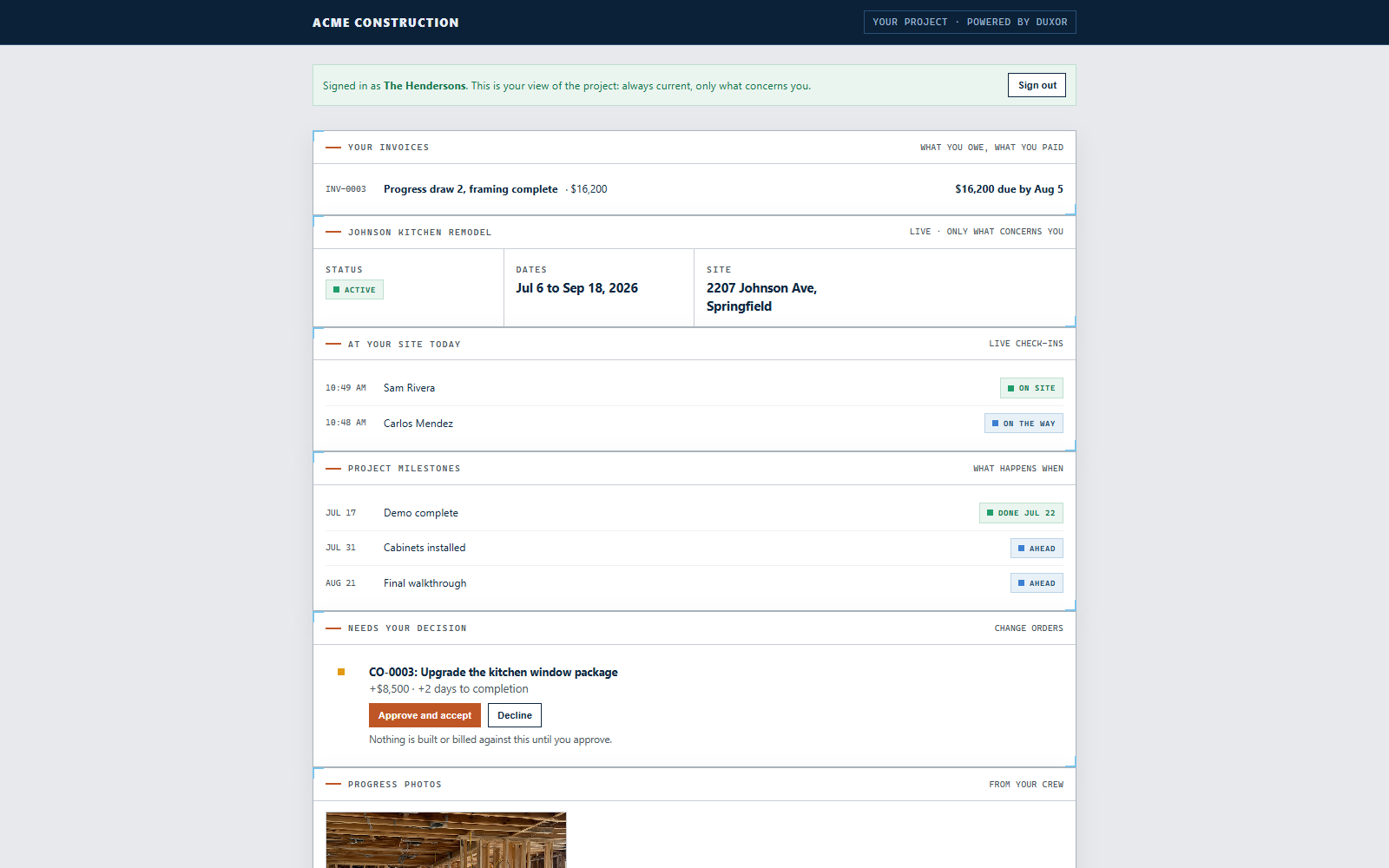
Duxor gives homeowners a calm, curated view of project status, schedule, progress, photos, selections, approvals, change orders, messages, and who is at their site, while internal notes and team chatter stay private.
A clear project heartbeat
They need to know whether the project is healthy, what happened, what comes next, who is arriving, and whether they need to make a decision. Duxor turns the live project record into that focused view.
The questions customers actually ask
A customer should not need to call the office to learn whether anyone is coming, why the site is quiet, whether water will be available, or when a decision is due.
Show the current phase, recent progress, approved photos, active work, and a simple project status.
Share the worker or crew, company, purpose, arrival window, and whether access or customer presence is required.
Explain the next milestone, expected work, known disruption, and any customer action without exposing internal scheduling complexity.
Keep selections, change orders, schedule decisions, and other customer approvals visible with their project context.
Proactive updates
A jobsite may be quiet while an inspection, material order, approval, or dependency is moving behind the scenes.
Duxor can explain what was completed, what the project is waiting on, and what happens next from approved project information. The same record can provide a next-day briefing with arrival windows, access needs, likely disruption, and action items.
Tell the customer who is expected, when they should arrive, what they are doing, and whether access is needed.
Share selected progress and live presence without opening internal notes or operational chatter.
Combine completed tasks, approved notes, photos, and the next scheduled activity into a clear update.
Customer requests become project work
A customer photo can become an assigned issue. A request can become a pending change. A selection can remain tied to the approved product, finish, photo, and project location.
Connect a customer image to the right project and location, preserve the message, and route the issue for review.
Keep the approved decision and supporting project information available when the field needs it.
Show cost and schedule impact for review before requested work becomes an approved contract change.
Explore change ordersPersonal without manual repetition
One customer wants daily detail. Another only wants important milestones. Preferences can include channel, language, detail level, quiet hours, arrival notice, access needs, and whether the customer must be present.
People who do not use the app participate by SMS or email, with Duxor returning replies to the correct project conversation. Multilingual delivery keeps the original message attached while each participant reads in their preferred language.
Connection without a seat tax
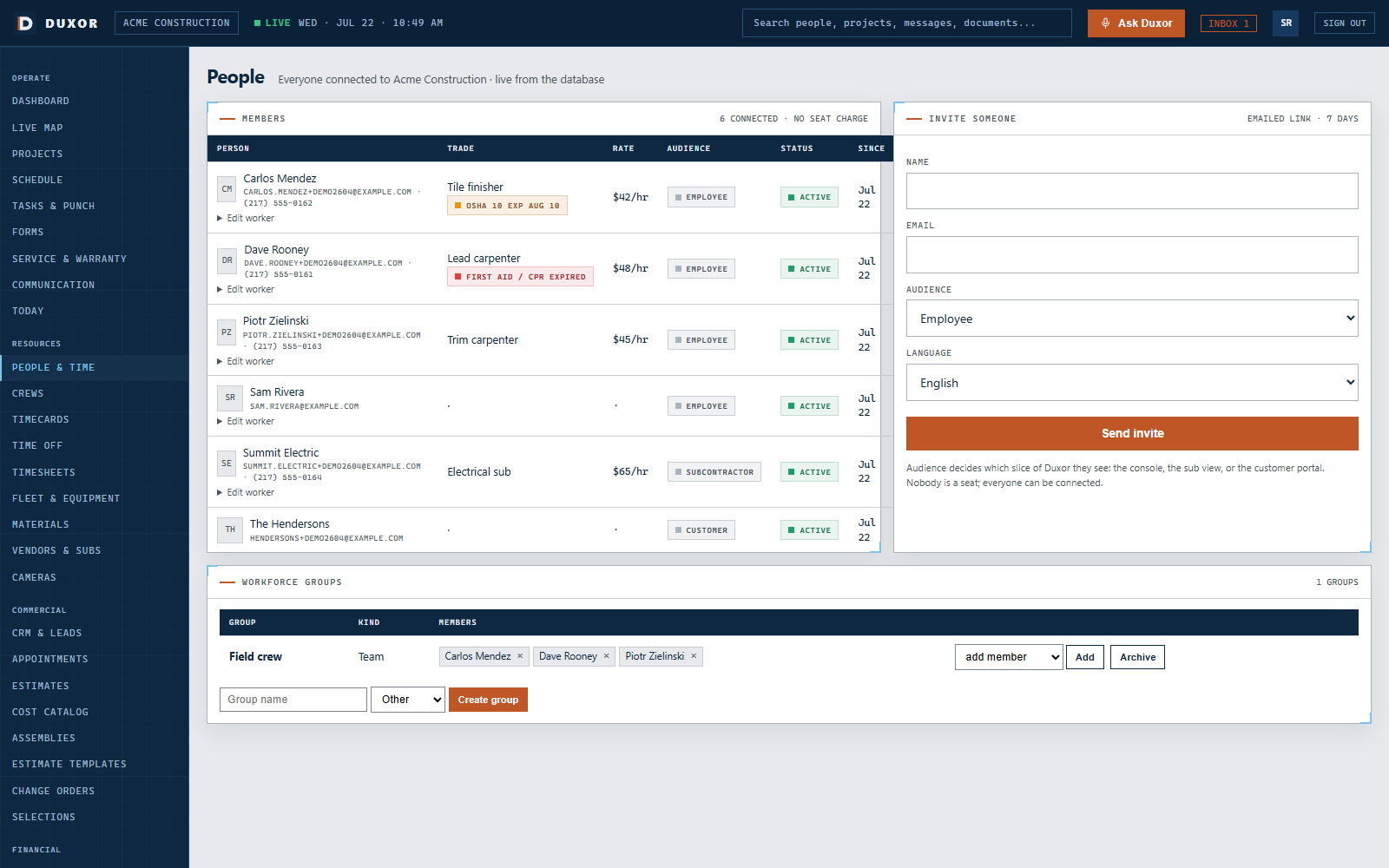
GC plans include unlimited office, field, customer, subcontractor, and vendor users. Customers participate at no cost to them, so clear communication does not depend on counting licenses.
Bring one active job and the questions its customer asks most often. We will walk through the focused view Duxor can provide.