Crews and subcontractors
See company crews, individual workers, specialty trades, roles, availability, and assigned work across active projects.
 DUXOR
No surprises.
DUXOR
No surprises.
This focused guide is currently available in English. Other languages open the localized Platform overview.
Construction crew scheduling software
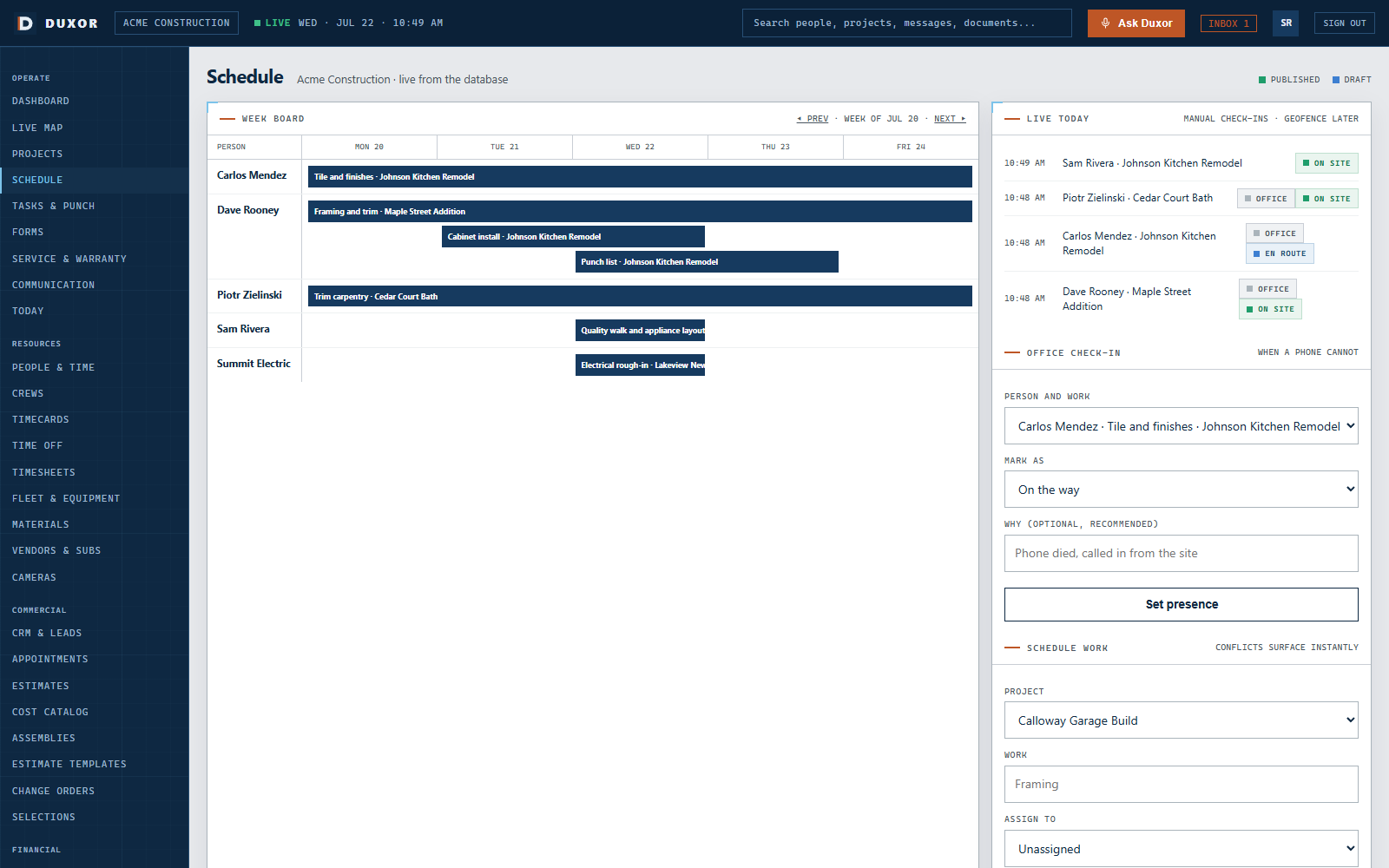
Duxor connects the plan to the people and equipment that carry it out. Schedule crews, subs, vehicles, equipment, inspections, and deliveries together, then see conflicts and field exceptions while there is still time to respond.
One operating schedule
A crew can be available while the truck, skid steer, inspection, or prerequisite work is not. Duxor brings those constraints into the same plan so a conflict appears while it is still a scheduling problem.
Plan with the whole resource picture
Schedule work against availability, assignments, dependencies, and the resources required to complete it. Duxor keeps deliberate decisions visible without allowing an accidental double-booking to hide.
See company crews, individual workers, specialty trades, roles, availability, and assigned work across active projects.
Put trucks, trailers, equipment, tools, and rentals on the schedule with the people and jobs that need them.
Coordinate time windows, milestones, permits, inspections, materials, and deliveries with field execution.
Keep prerequisites and downstream work visible so one delayed activity does not quietly disrupt the rest of the plan.
Schedule meets reality
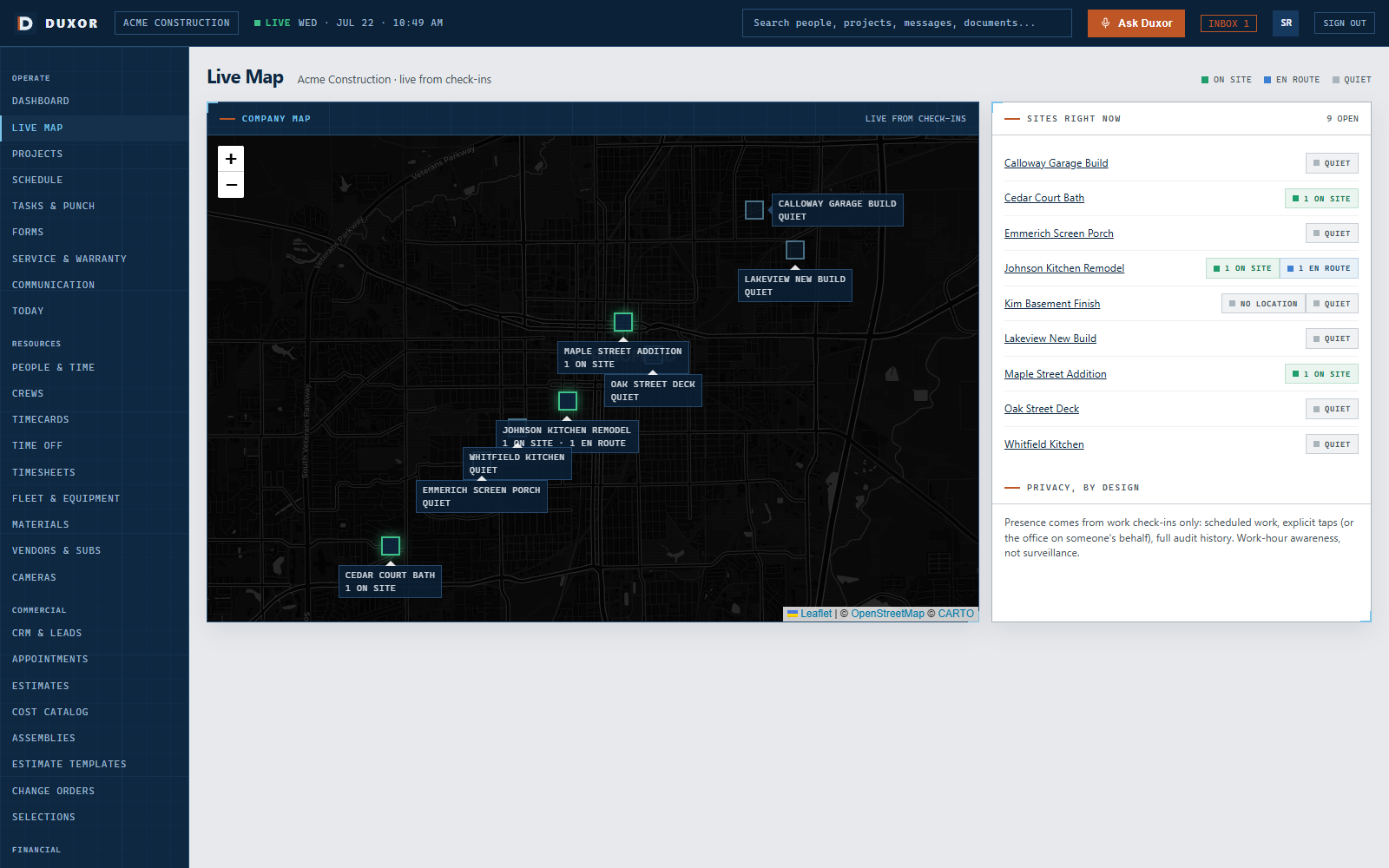
A calendar says who should arrive. Duxor also shows who is scheduled, en route, expected late, on site, missing, or at the wrong location.
Duxor evaluates the schedule with route, travel time, traffic, geofence proximity, clock status, device state, and company policy. When an arrival is likely to slip, the supervisor can see the expected time, affected work, and useful next actions.
See how a late crew becomes a controlled recovery, from the first warning through the project record.
Change with context
If electrical work slips, the impact may include an inspection, insulation, drywall, another subcontractor, and the customer's expectations. Duxor keeps the schedule, dependencies, communication, and activity record connected.
Identify tasks, people, appointments, and customer commitments that may require attention when the plan changes.
Review the relevant schedule moves and notifications together instead of rebuilding the recovery one phone call at a time.
Keep the source message, decision, people notified, and resulting schedule action on the project history.
Built for the crew's day
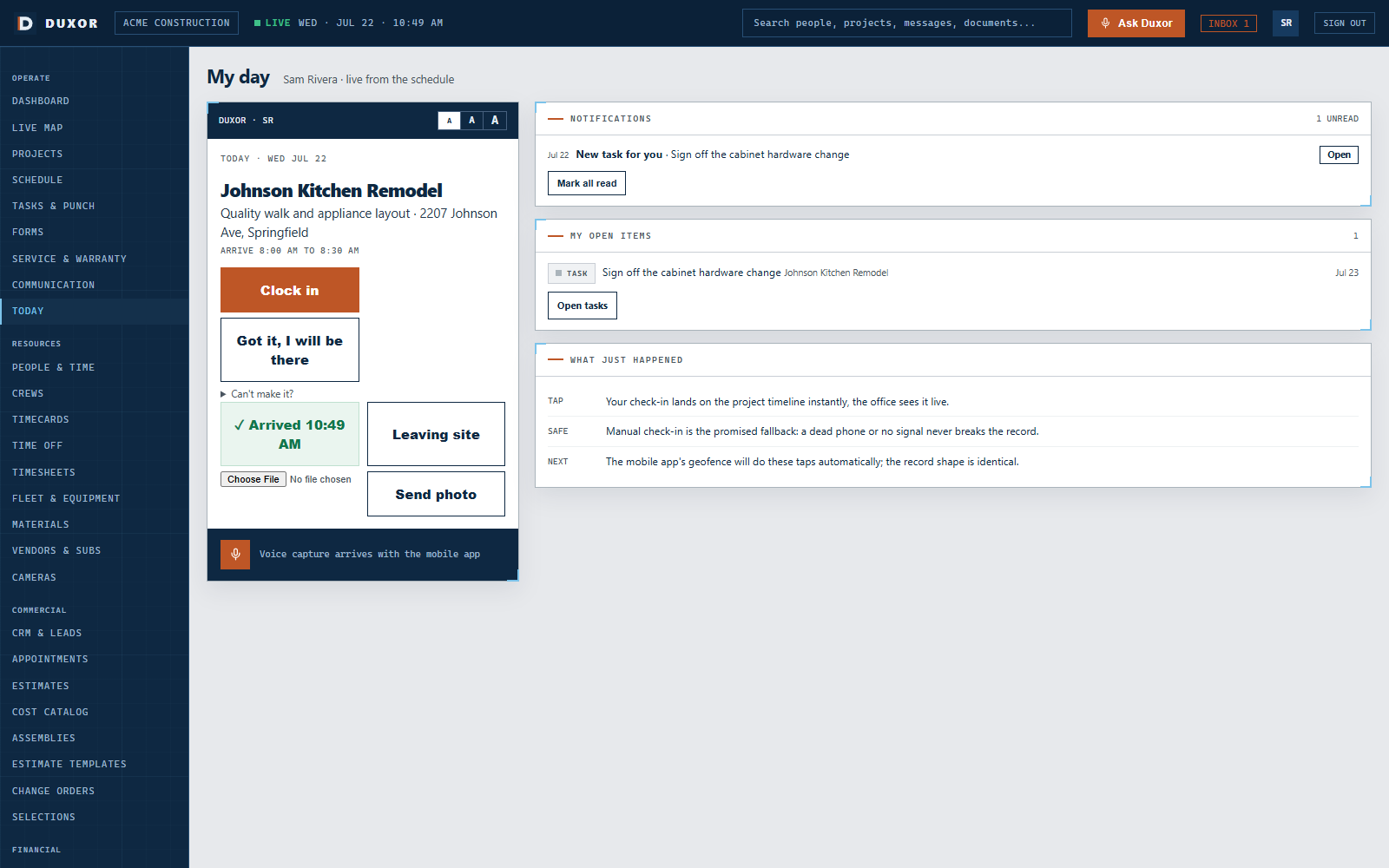
The mobile field view keeps today's work, the address, arrival window, notes, and check-in controls close at hand.
Large touch targets, adjustable text, voice, and offline capture support real jobsite conditions. One field update can refresh the company view and land on the project timeline without making the crew repeat the same information.
Connected solutions
Bring field communication, customer visibility, and job economics into the same project record.
Route delays and changes to the right crew, subcontractor, and customer channel.
Explore communicationGive customers clear arrival windows, project progress, and approved schedule information.
Explore the client portalKeep schedule effects and approved changes connected to project cost and margin.
Explore job costingShow us one active project, the crews and resources it needs, and the conflict you currently solve by phone. We will walk through the connected plan.